













|

AI NOTETAKER FOR RECRUITERS

Focus on the meeting, not the notes

No split attention. No meeting write-up afterwards. SourceWhale captures what was said and has the transcript, summary and next steps ready when you’re done.

|

AI RECRUITING SOFTWARE
Trusted by thousands of recruitment agencies
SourceWhale Notetaker
SourceWhale Notetaker is an AI notetaker for recruiters, built to record, transcribe and summarise client and candidate video meetings.
A familiar problem

Details get lost somewhere between the meeting and the record.

Once the meeting ends, what matters is whatever made it into the notes.

You miss the next question because you’re typing the last answer

Client intakes and candidate interviews move quickly. You’re listening for detail, thinking about what to ask next and trying to capture enough to remember later.

You don’t always know what will matter later

A comment about relocation, a hesitation around salary or a small change to the brief. Something that felt incidental in the meeting can matter weeks later. But if it never made the notes, there’s nothing to come back to.

the sourcewhale difference

Keep the context, not just the notes.

Meeting capture

Keep the whole conversation

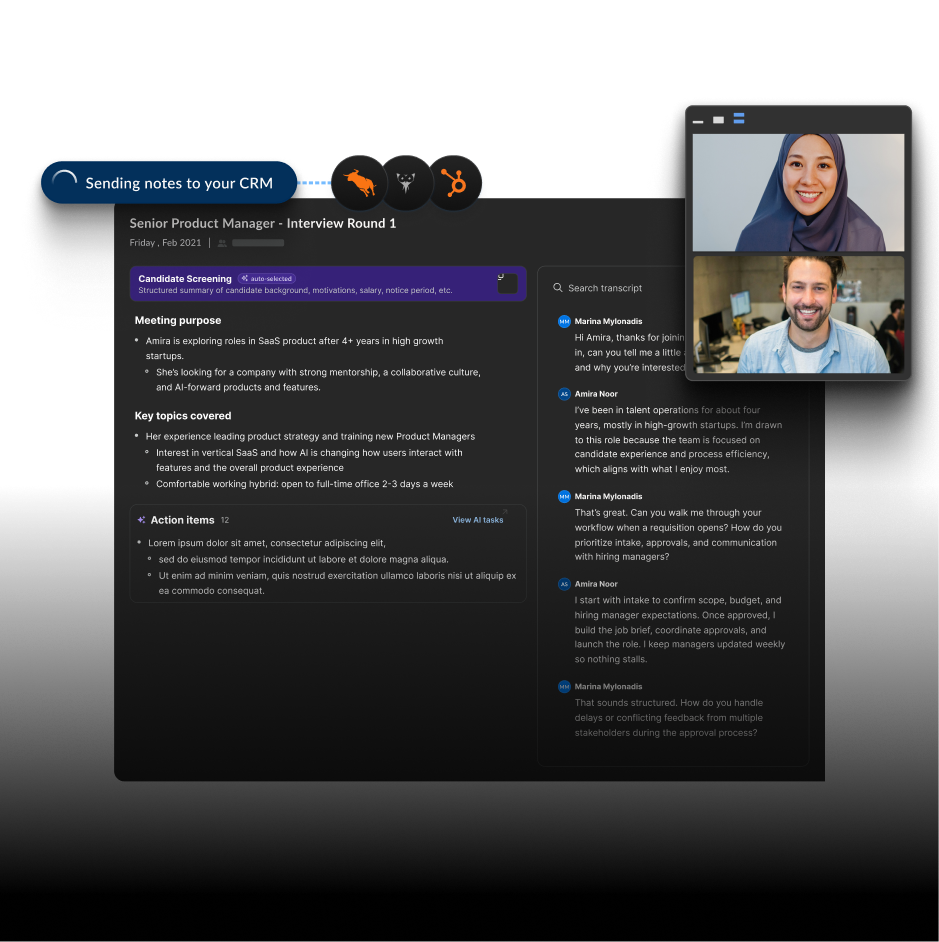
Notetaker records and transcribes the meeting, so you can come back to what was actually said, not just what made it into your notes.

Meeting notes

Get what matters without losing the rest

A candidate screening and a client intake need different things from the conversation. SourceWhale shapes the summary around the meeting, while keeping the full conversation there when you need a specific detail.
AFTER THE MEETING
Put the meeting to work
Candidate and job updates
Keep the right details up to date
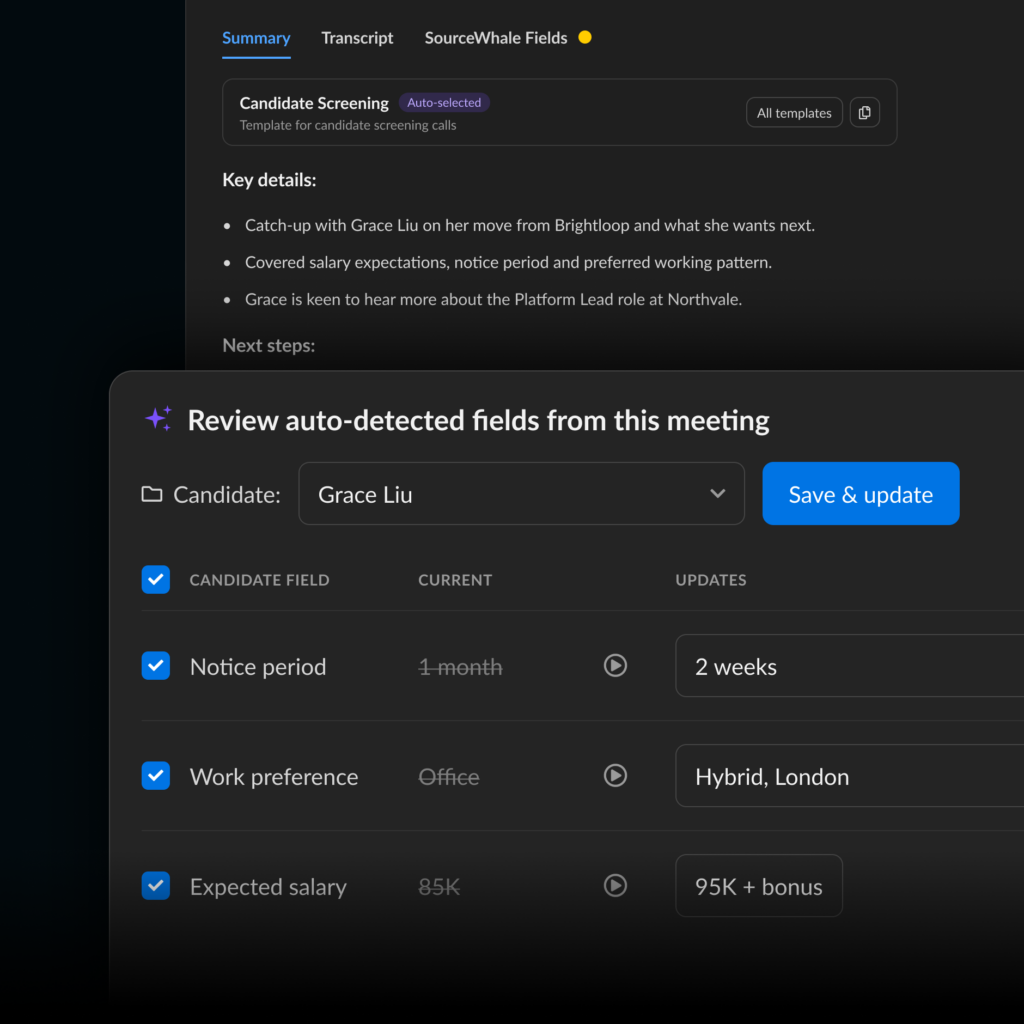
Key candidate details and role requirements move from the meeting into the relevant record, so the context doesn’t stop at the notes.
Next steps
Don’t leave the follow-up in your head
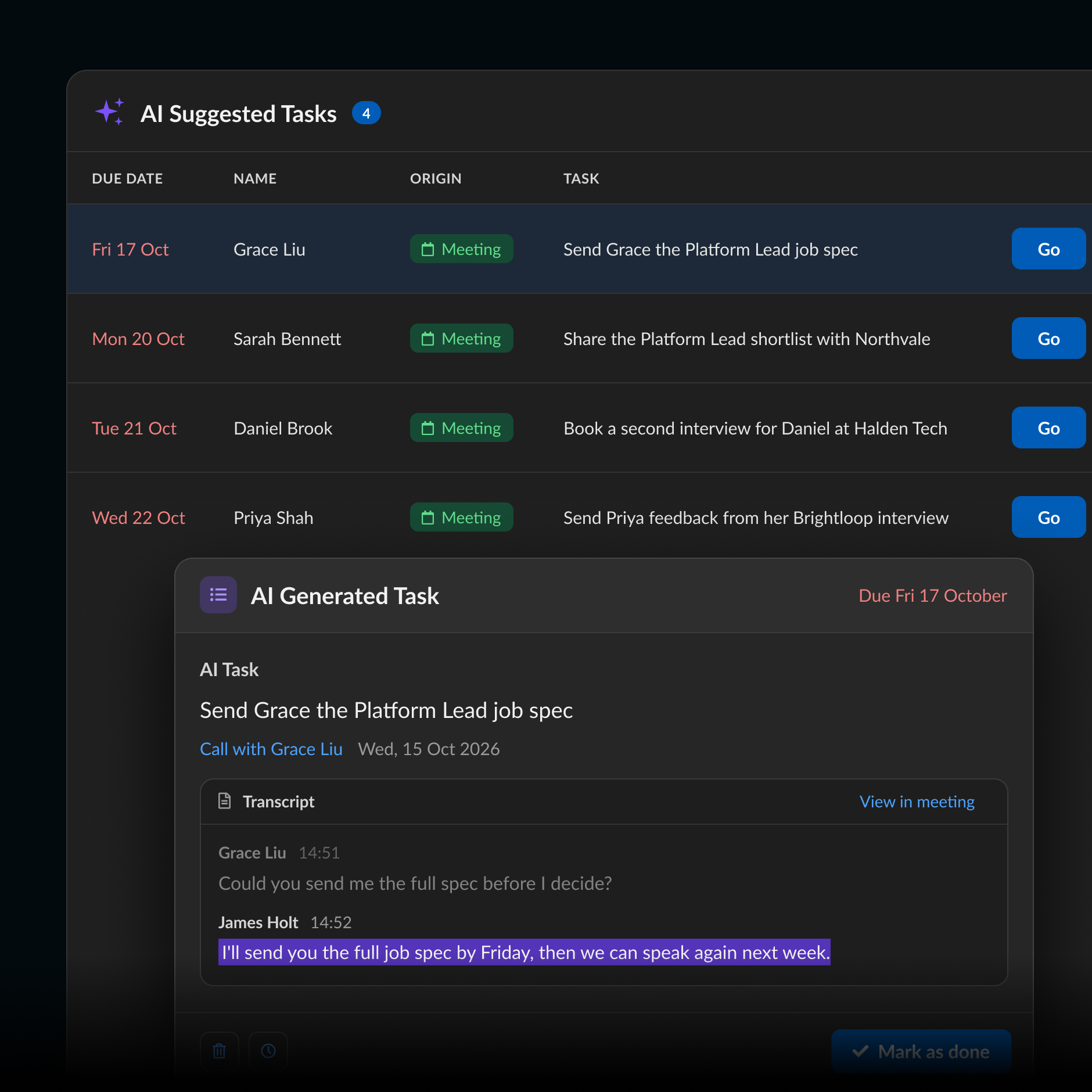
Actions agreed in the meeting can become tasks and the full conversation is there whenever you need to check the details.
Build the shortlist
Found them. Don’t make a spreadsheet.

Mark the people you want Yes and the ones you don’t No. Save the shortlist, find the email or phone number you need and move the right people straight into a Project or Campaign.

No export. No re-import. No list sitting in Downloads until Friday.

Certified. Compliant. Confidential.

You’re handling sensitive candidate and client data every day. SourceWhale is built with security and compliance at its core.
CCPA
GDPR
SOC 2 TYPE 2
ISO 27001
TRUSTe

Frequently Asked Questions

An AI notetaker for recruiters records and transcribes recruitment meetings, then uses AI to turn the conversation into useful notes and information. SourceWhale Notetaker is built around recruiter workflows such as candidate meetings and client intakes rather than operating as a separate general-purpose meeting-notes tool.

Notetaker is built for video meetings such as client intakes and candidate interviews. Dialer is SourceWhale’s recruitment calling solution for phone calls, with SMS and WhatsApp alongside them.

Both capture what was said, but they cover different parts of the recruiter’s communication workflow.

Notetaker supports Zoom, Microsoft Teams and Google Meet for video meetings.
You can set Notetaker to join eligible external meetings automatically, switch it on for individual upcoming meetings or add it to the calendar invite. Meetings added close to their start time can also be added using the meeting link in SourceWhale.
Yes. You can control whether Notetaker joins eligible external meetings automatically and switch individual upcoming meetings on or off. If Notetaker has already joined, it can also be removed from the meeting.
Meeting visibility can be configured in SourceWhale. Depending on permissions, meetings can be restricted to the user or admins, or made visible more widely to the team. Individual meetings can also be changed when needed.
Once processing is complete, the recording, transcript and AI-generated summary are available in SourceWhale. Different summary templates can be used for different meeting types, and you can ask questions about the meeting using its transcript.

Yes, where the required conditions are met. SourceWhale can identify supported information explicitly stated in a meeting and use it to update matched candidate and role information.

Teams can choose whether eligible updates are reviewed first or applied automatically. Automatic updates can be reviewed afterwards and reverted.

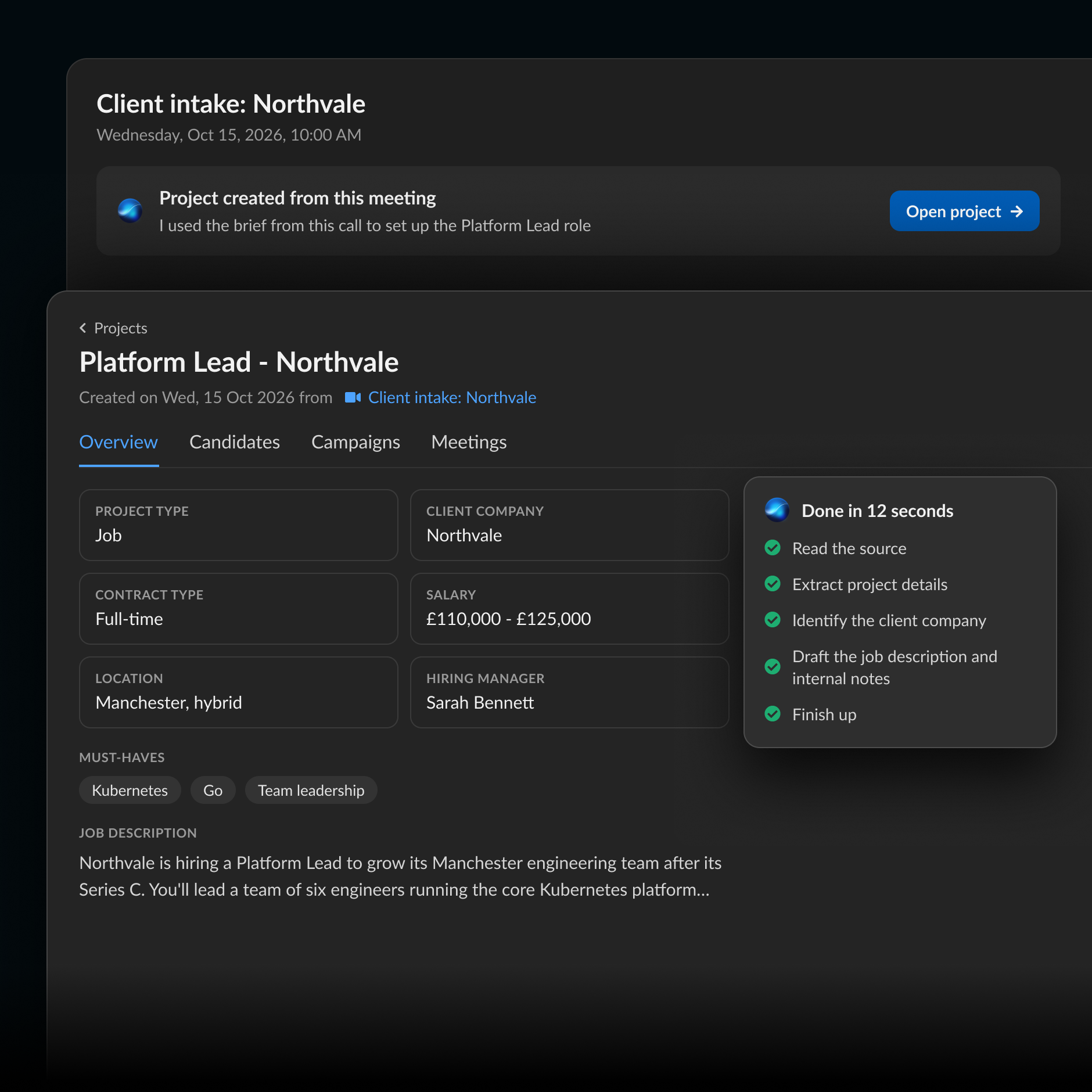
Yes. With SourceWhale CRM & ATS, you can use a completed client-intake meeting to draft the role. SourceWhale pulls relevant details from the conversation for you to review before creating it, and the original intake remains linked afterwards.
Yes. SourceWhale can identify actions discussed in a captured meeting and create tasks from them. The task remains connected to the meeting, so you can return to the source when you need the original context.
Yes. You can create custom summary templates with your own sections and prompts, keep them private or share them with your team.

You're on the go 📱

SourceWhale works best on desktop. Provide your email below, so that you can get a link to access the free trial when you’re back at your desk 🧑‍💻

Get the link An error occurred

By submitting this form, you agree to our Privacy Policy.